
Why Build a Homelab?
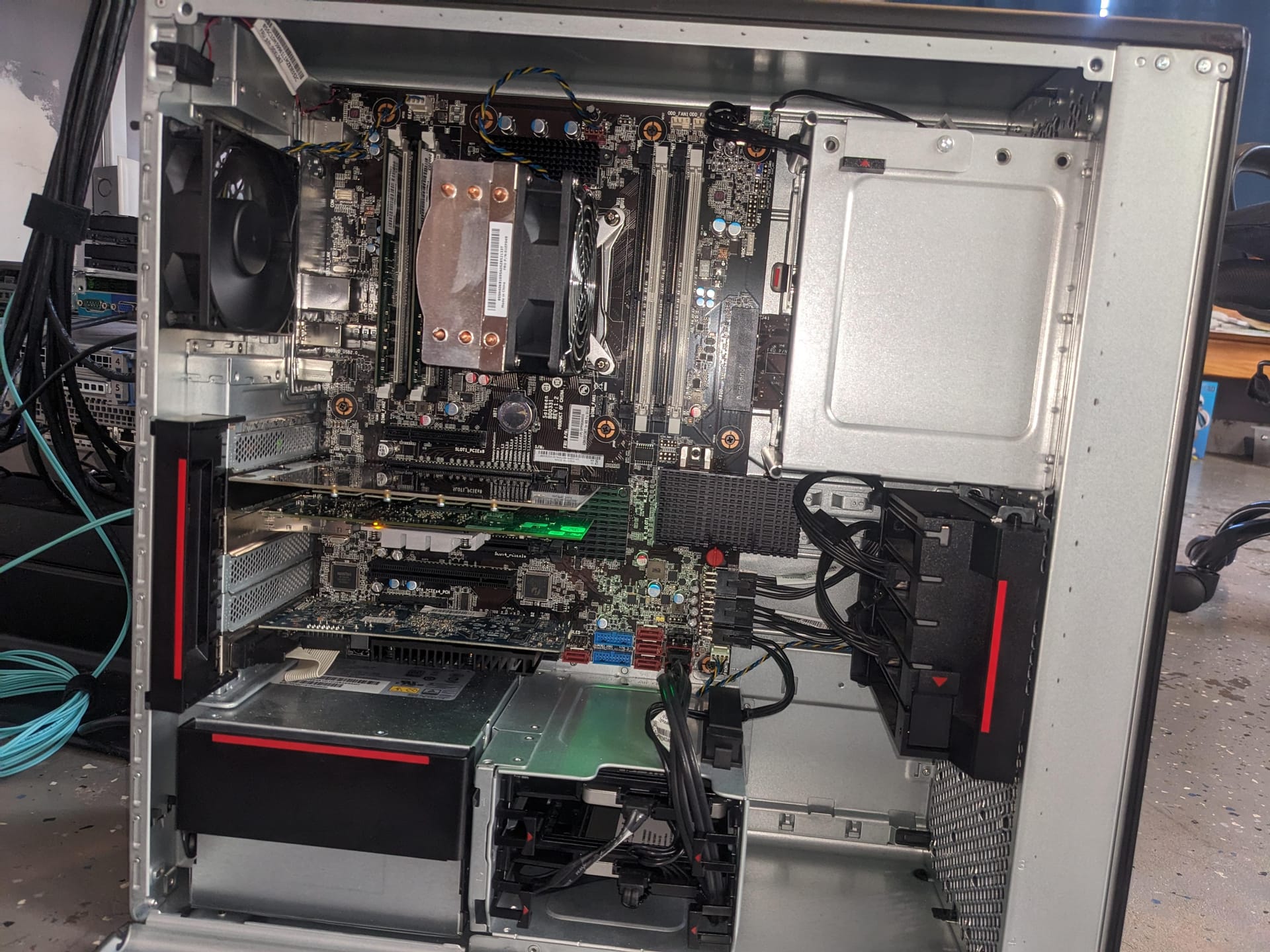
Starting a homelab has been my way to dive deeper into networking and server management. Initially, I repurposed an old laptop with Ubuntu Server, setting up Cockpit for monitoring and Nextcloud as a personal cloud storage solution. Everything worked well until the laptop started showing its age, and reliability became an issue. That’s when I came across Hardware Haven’s video on the Lenovo P520, and it clicked — the P520 could be my new homelab foundation.
With 32GB of RAM and a solid Xeon processor, the P520 was ideal for virtualization and running Docker containers. This setup gave me a versatile base to handle different types of software and server environments, and I could scale it over time.
The Setup
I wanted flexibility and storage, so I used a 16x PCI slot with a 4x bifurcation card, allowing me to install four 1TB NVMe drives. For larger storage needs, I added two 4TB hard drives configured in a mirrored setup to ensure data redundancy. Initially, I installed TrueNAS Scale, but with ongoing uncertainties around its Electric Eel project, I decided to try Proxmox instead. Proxmox has offered a great experience, especially with virtualization and container management. I also added a 4-port 10GbE network card to increase bandwidth for my server containers, which has been a game-changer in terms of network speed.
What’s Currently Installed?
Here’s a quick rundown of the software I’m running in the homelab:
- Cloudflare: Makes DNS management straightforward, allowing me to securely link my server to the internet.
- Nextcloud: Serves as our family cloud solution with built-in document processing, making it a handy alternative to OneDrive.
- Kasm: I use this for private browsing at work for personal tasks, keeping my browsing separate from work.
- Prometheus & Grafana: These are my go-to tools for monitoring, giving me insight into server performance and resource usage.
- Private Web Server: Hosting my own web content privately has been rewarding and secure.
Plans for the Future
Looking ahead, I want to experiment with more Docker applications and set up a Windows VM accessible through a browser — right now, I only have a Windows laptop, with the rest of my systems running Linux. I’m also planning to incorporate pfSense and add a more powerful Wi-Fi radio to boost coverage across my home. Using VLANs, I’ll be able to isolate devices into separate network segments, which will improve security and organization within my network.
There’s still plenty to learn and test, but that’s what makes the homelab so exciting — it’s a space for endless experimentation and discovery.